A powerful, open-source NAS operating system with a desktop-like web interface. Manage storage, Docker apps, networking, and more — no terminal required.
Built with
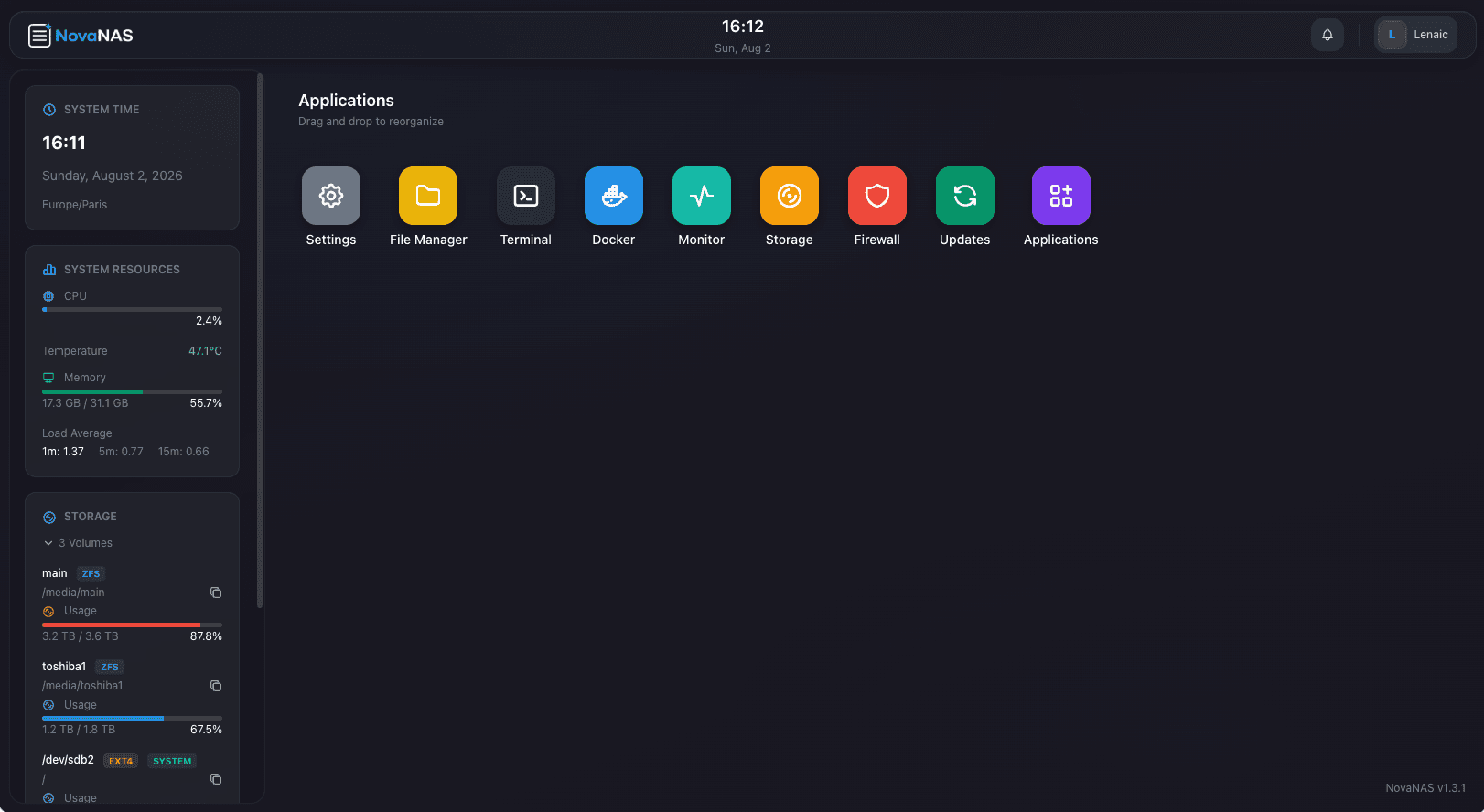
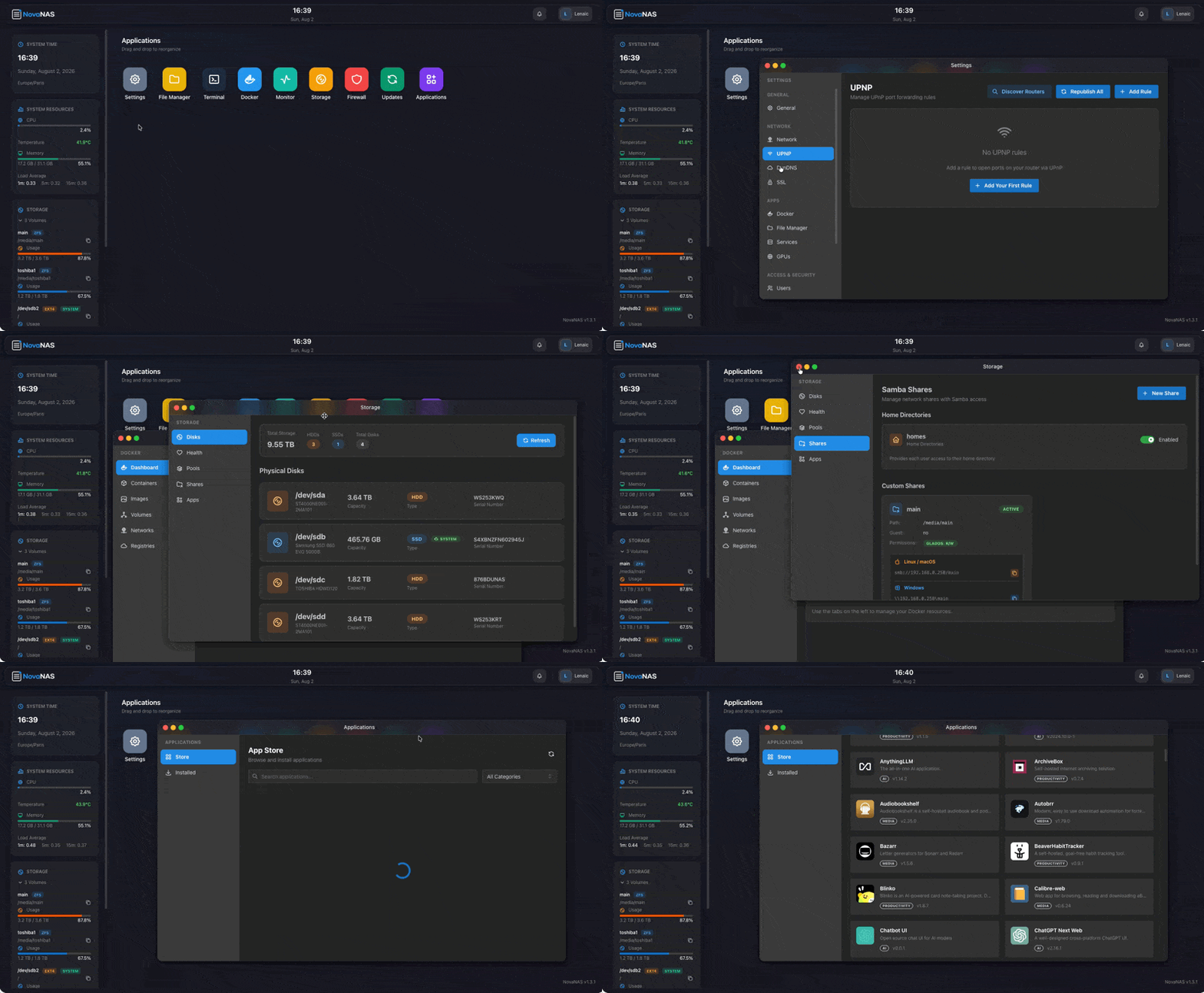
A full operating system in your browser. Open apps, manage files, monitor your system — all without touching the terminal.
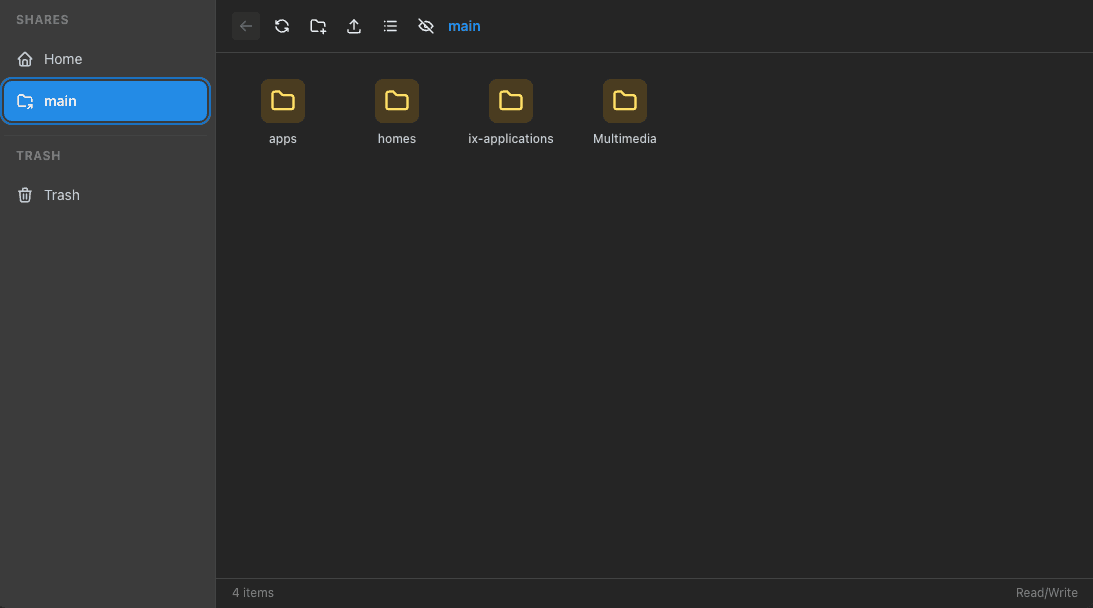
Browse, upload, download, and preview files directly from your browser. Drag-and-drop, folder previews, file type icons — the file manager you'd expect from a premium OS.
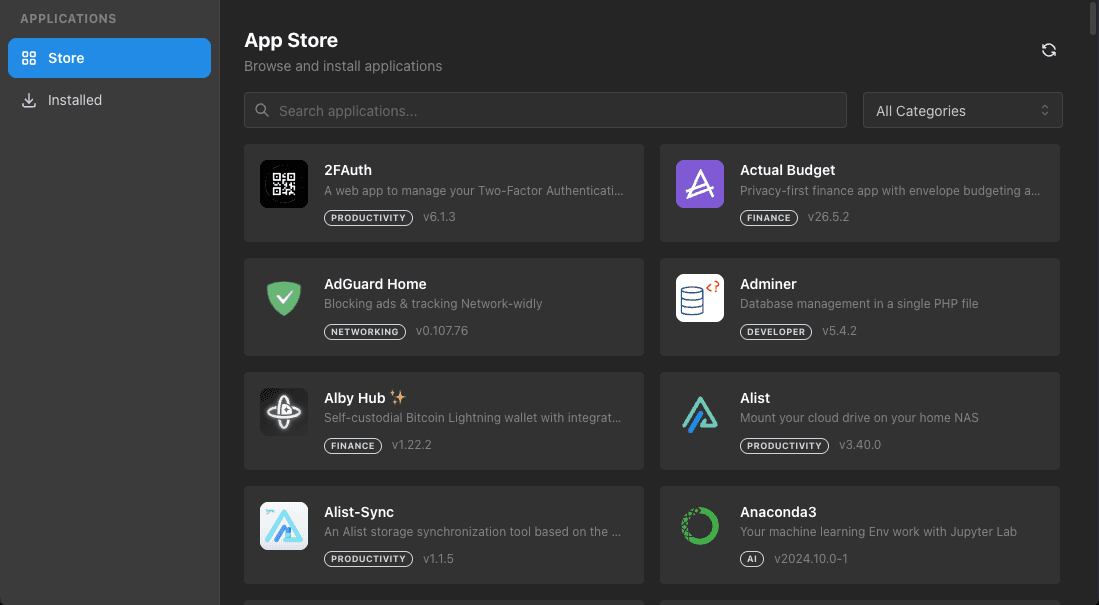
Plex, Nextcloud, Pi-hole, and hundreds more. Community-curated Docker applications, pre-configured and ready to run.
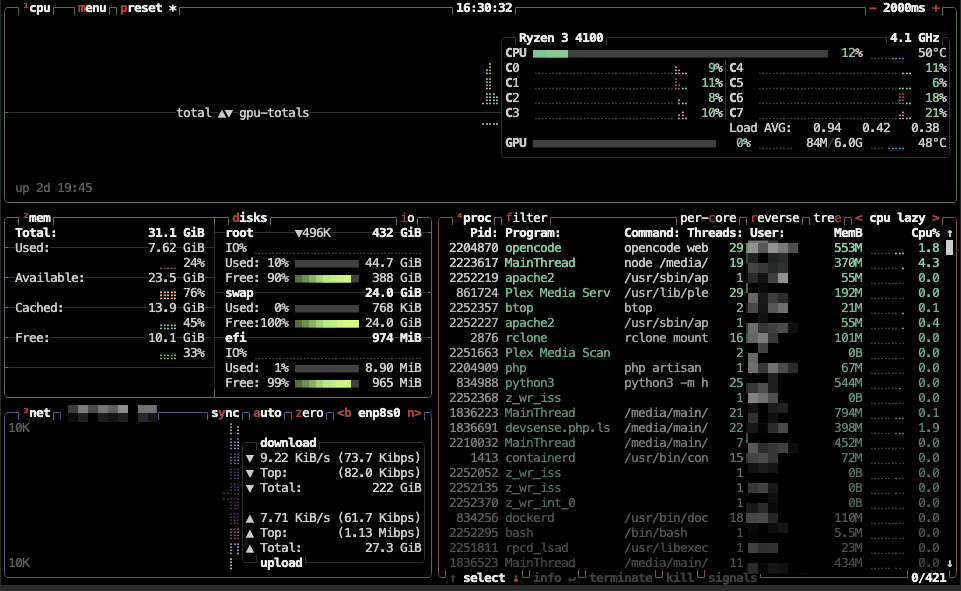
Real-time CPU, memory, disk, and network monitoring. Live charts, historical data, and instant health alerts — so you always know what's happening under the hood.
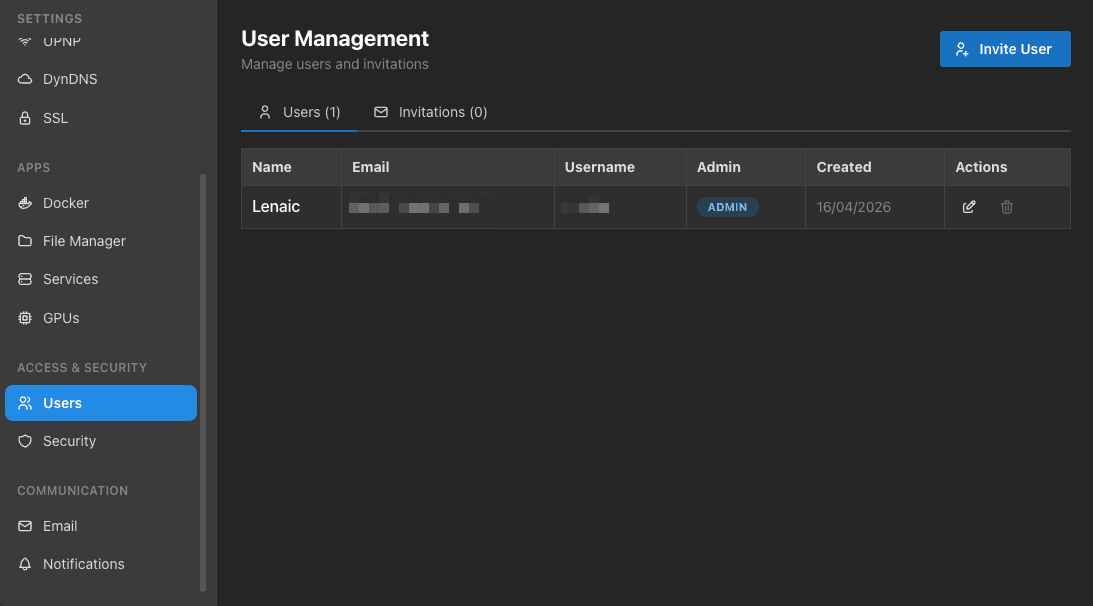
Role-based access control with granular permissions. Create users, assign roles, and manage access for家庭或office setups.
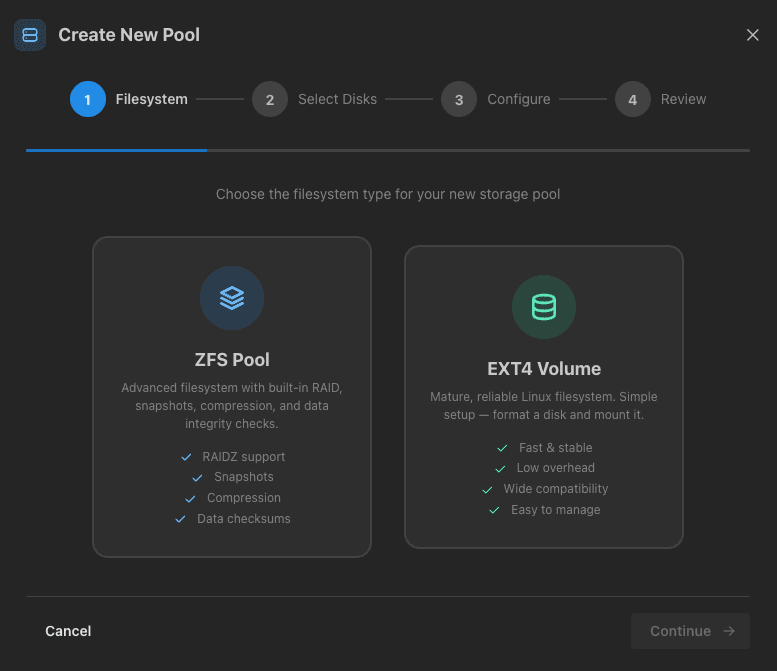
Configure ZFS or EXT4 pools, set up RAID arrays, and monitor drive health — all from the web UI. SMB/CIFS and NFS in seconds.
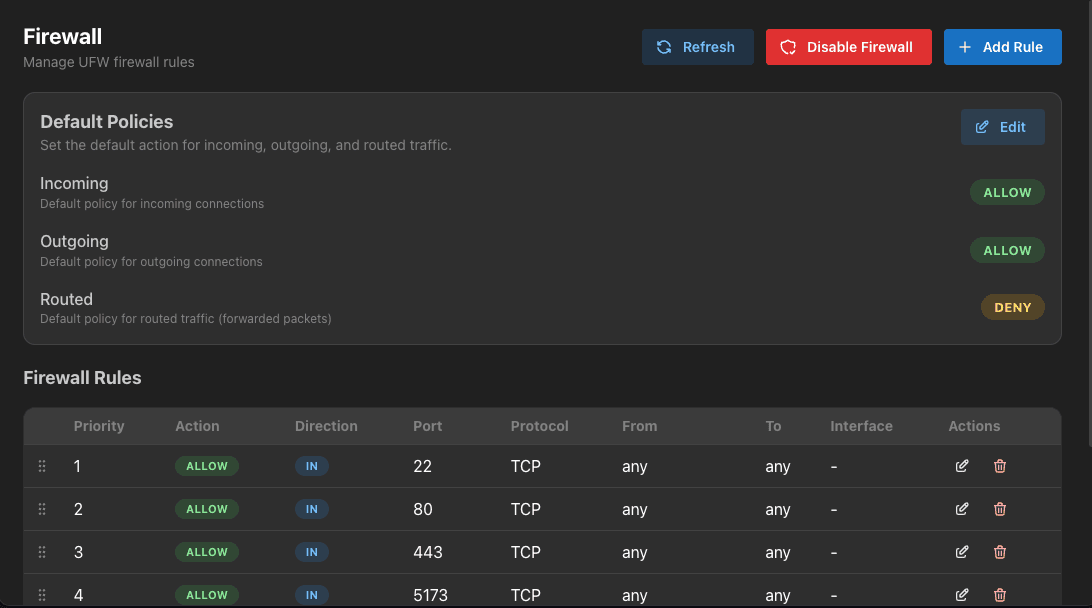
Firewall rules, DynDNS, SSL certificates, and full network management. UFW-powered security without the command line.
We've got you covered. Full command-line access, built right into the browser. Because sometimes, the terminal is the fastest path forward.
CasaOS offers basic NAS functionality, but lacks the depth needed for serious home or small business storage. NovaNAS fills this gap with features comparable to QNAP OS or Synology DSM — while staying fully open-source.
Control everything from storage to networking through one unified interface. No SSH required.
Familiar window-based UI with movable, resizable windows. It feels like a real operating system.
Easy to add new apps and features. The modular design grows with your needs.
Transparent, community-driven development. Inspect every line of code.
NovaNAS runs commands on your system. Uninstall it and keep everything you created.
Install whatever you want. Customize freely. We never lock you out of your own hardware.
NovaNAS brings enterprise-grade NAS capabilities to your DIY hardware. From storage management to Docker orchestration — all through a beautiful web interface.
Familiar window-based UI with drag-and-drop, movable and resizable windows. Feel right at home.
Role-based access control with granular permissions. Manage who accesses what across your NAS.
Real-time performance metrics and health monitoring at a glance. Know your system inside out.
Built-in command-line interface for advanced users who want direct system access.
Install and manage Docker containers through the intuitive UI. No terminal needed.
Community marketplace with ready-to-install applications. One-click deployment of popular services.
Full ZFS and EXT4 support for optimal data protection and performance.
Configure and monitor storage pools with built-in RAID management tools.
SMB/CIFS and NFS sharing with fine-grained access controls for your network.
Full-featured web-based file browser with upload, download, and preview capabilities.
Advanced firewall rules and port management powered by UFW. Keep your system secure.
Free Dynamic DNS configuration for easy and reliable remote access to your NAS.
Automatic certificate management with Let's Encrypt. HTTPS out of the box.
IP settings, UPnP, and full network stack management from a single interface.
Automated backup to external drives or cloud storage providers.
Full VM management with snapshots and resource allocation.
CPU, memory, disk, and network monitoring with historical data and alerting.
Cron job management through the UI with visual scheduling.
Sleep, hibernate, and shutdown controls from the web interface.
Centralized logging and log viewer for easy debugging and auditing.
A carefully chosen stack optimized for reliability, performance, and developer experience.
Laravel 12 with PHP 8.5 and SQLite database — lightweight and perfect for NAS environments.
React with Inertia.js and Mantine UI — a seamless SPA experience without the API complexity.
Custom window manager for app organization — movable, resizable windows in your browser.
NovaNAS is designed to be installed on a fresh Debian 13 system. One command is all you need.
curl https://raw.githubusercontent.com/NovaNasOrg/NovaNAS/refs/heads/main/install.sh | bashDesigned for a fresh Debian 13 install. Do not run on an existing system.
Open your browser and navigate to http://your-server-ip (default port 80).
Complete the initial configuration — storage pools, users, and network settings.
Browse the App Store and deploy Docker containers with one click.
Your NAS is ready. Manage everything from the comfort of your browser.
NovaNAS is open source and thrives on community contributions. Join us in building the best open-source NAS OS.